
Meet the infrared sensor, a tiny eye that notices what is in front of it.
मिलो आईआर सेंसर से, एक नन्ही आँख जो सामने की चीज़ पहचानती है।
🎯 What are we building?
We connect an IR sensor module and use the computer screen to see when it detects an object. Wave your hand in front of it and the numbers change!
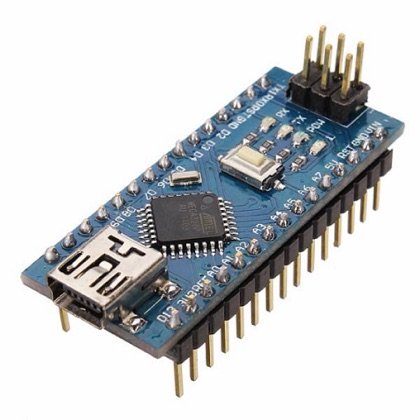 Arduino Nano
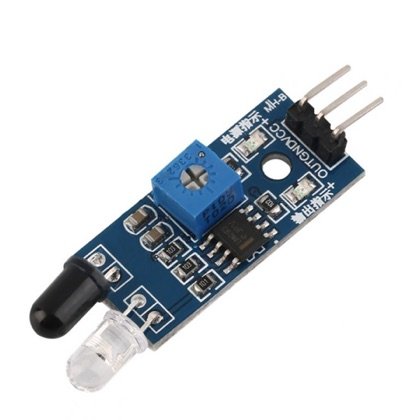 IR Sensor
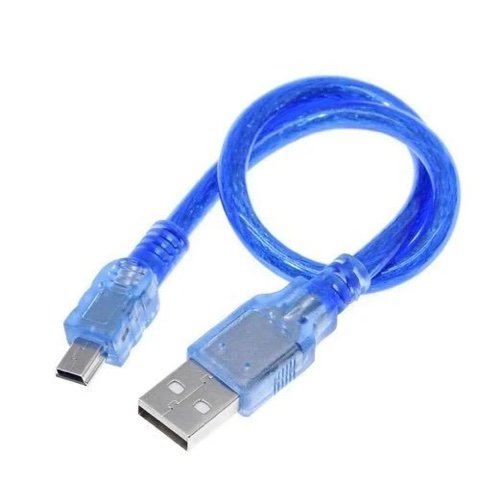 USB Cable
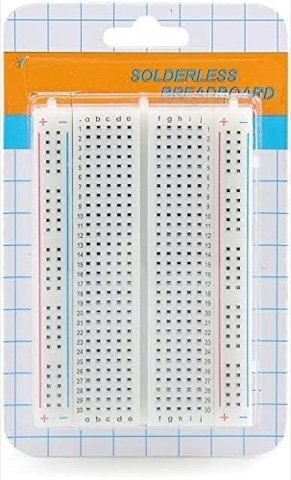 Breadboard
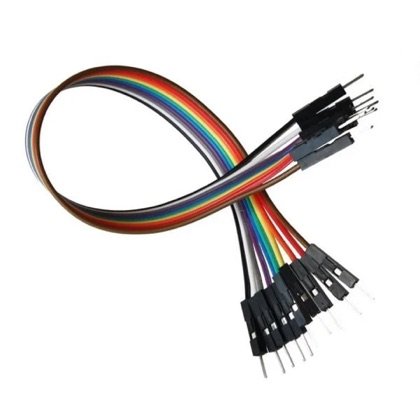 Wires
Wires🔌 Circuit diagram
Pin numbers follow the Kod2Kids books. You can use other pins, just change the same numbers in the code.
🎮 Play with this experiment⚙️ How does it work?
The sensor has one tiny light that sends invisible infrared rays and another part that catches them. If an object is in front, the rays bounce back and the sensor sends a signal to the Nano. Our eyes cannot see infrared, but many cameras can.
🌍 Where is this used in real life?
- Automatic doors and soap dispensers.
- TV remote controls send infrared signals.
- Robot vacuum cleaners avoid walls and stairs.
💡 What could YOU invent with it?
Create a “no-touch hand sanitizer stand” for your school. It could help keep germs away and make hand-washing a habit for little kids.
🧪 Try this!
Try the sensor with a white paper, a black paper and a mirror. Which one does it detect best? Why?
🎯 हम क्या बना रहे हैं?
हम आईआर सेंसर मॉड्यूल जोड़ते हैं और कंप्यूटर स्क्रीन पर देखते हैं कि वो कब किसी चीज़ को पहचानता है। उसके सामने हाथ हिलाओ और नंबर बदल जाएँगे!
अरुडिनो नैनोआईआर सेंसरयूएसबी केबलब्रेडबोर्डतार🔌 सर्किट डायग्राम
पिन नंबर Kod2Kids की किताबों के हिसाब से हैं। आप दूसरे पिन भी लगा सकते हो, बस कोड में वही नंबर बदल दो।
🎮 इस एक्सपेरिमेंट के साथ खेलो⚙️ ये कैसे काम करता है?
सेंसर में एक नन्हा बल्ब अदृश्य इन्फ्रारेड किरणें भेजता है और दूसरा हिस्सा उन्हें पकड़ता है। सामने कोई चीज़ हो तो किरणें टकराकर लौटती हैं और सेंसर नैनो को संकेत भेजता है। हमारी आँखें इन्फ्रारेड नहीं देख पातीं, पर कई कैमरे देख लेते हैं।
🌍 असली ज़िंदगी में ये कहाँ काम आता है?
- ऑटोमैटिक दरवाज़े और सेंसर वाले साबुन डिस्पेंसर।
- टीवी रिमोट इन्फ्रारेड संकेत भेजते हैं।
- रोबोट वैक्यूम क्लीनर दीवारों और सीढ़ियों से बचते हैं।
💡 इससे आप क्या नया बना सकते हो?
अपने स्कूल के लिए “बिना छुए हैंड सैनिटाइज़र स्टैंड” बनाओ। इससे कीटाणु दूर रहेंगे और छोटे बच्चों में हाथ साफ़ रखने की आदत बनेगी।
🧪 खुद करके देखो!
सेंसर को सफ़ेद कागज़, काले कागज़ और शीशे के साथ आज़माओ। किसे सबसे अच्छा पहचानता है? क्यों?
अरुडिनो नैनो कोडिंग और इलेक्ट्रॉनिक्स किट
Get the kit / किट खरीदें →
