

Come near, and the buzzer greets you with a beep.
पास आओ और बज़र बीप करके आपका स्वागत करे।
🎯 What are we building?
We connect the IR sensor to the buzzer. When someone walks in front of the sensor the buzzer beeps, like the welcome chime at a shop.
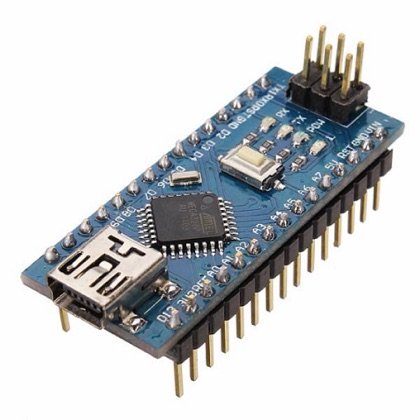 Arduino Nano
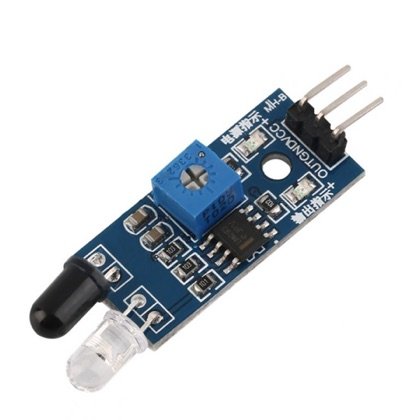 IR Sensor
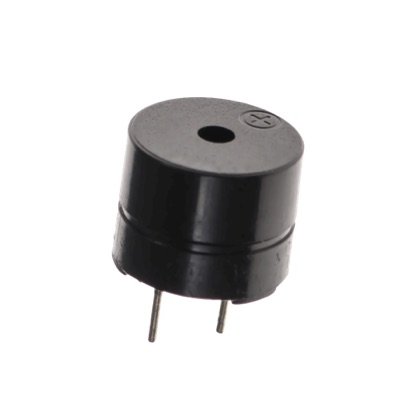 Buzzer
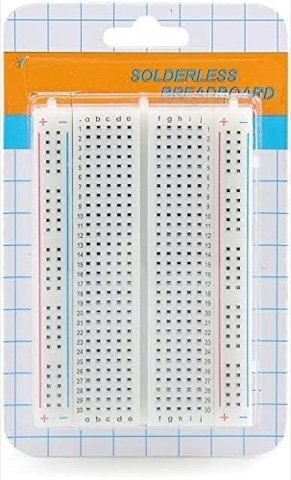 Breadboard
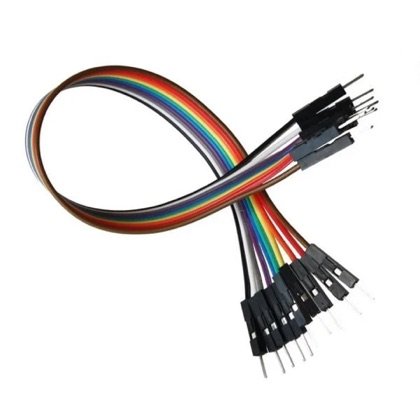 Wires
Wires🔌 Circuit diagram
Pin numbers follow the Kod2Kids books. You can use other pins, just change the same numbers in the code.
📘 Related lab: Class 5 book, Lab 6 (Object Detection Alarm with IR).
🎮 Play with this experiment⚙️ How does it work?
When the IR sensor spots an object it sends a signal. The program reads it and starts the buzzer for a moment. Because it uses no button, nobody has to touch anything.
🌍 Where is this used in real life?
- Shop entrance chimes tell the owner when a customer arrives.
- Reversing alarms beep when something is behind a vehicle.
- Lifts beep when the doors are blocked.
💡 What could YOU invent with it?
Create a “baby-room guard” that beeps gently if a crawling baby goes near a staircase or kitchen door. It could help parents keep little ones safe while they work.
🧪 Try this!
Make the buzzer play two different beeps: one for “near” and one for “very near”.
🎯 हम क्या बना रहे हैं?
हम आईआर सेंसर को बज़र से जोड़ते हैं। किसी के सेंसर के सामने से गुज़रते ही बज़र बीप करता है, जैसे दुकान में स्वागत की घंटी।
अरुडिनो नैनोआईआर सेंसरबज़रब्रेडबोर्डतार🔌 सर्किट डायग्राम
पिन नंबर Kod2Kids की किताबों के हिसाब से हैं। आप दूसरे पिन भी लगा सकते हो, बस कोड में वही नंबर बदल दो।
📘 संबंधित लैब: क्लास 5 की किताब, लैब 6 (आईआर से ऑब्जेक्ट डिटेक्शन अलार्म)।
🎮 इस एक्सपेरिमेंट के साथ खेलो⚙️ ये कैसे काम करता है?
आईआर सेंसर जब कोई चीज़ देखता है तो संकेत भेजता है। प्रोग्राम उसे पढ़कर कुछ पल के लिए बज़र चालू करता है। बटन नहीं है, इसलिए किसी को कुछ छूना नहीं पड़ता।
🌍 असली ज़िंदगी में ये कहाँ काम आता है?
- दुकान के दरवाज़े की घंटी मालिक को ग्राहक आने की सूचना देती है।
- रिवर्स अलार्म गाड़ी के पीछे कुछ होने पर बीप करते हैं।
- दरवाज़ा अटकने पर लिफ्ट बीप करती है।
💡 इससे आप क्या नया बना सकते हो?
ऐसा “शिशु कक्ष रक्षक” बनाओ जो रेंगता बच्चा सीढ़ी या रसोई के दरवाज़े के पास जाए तो हल्की बीप करे। माता-पिता के काम करते समय छोटे बच्चे सुरक्षित रहेंगे।
🧪 खुद करके देखो!
बज़र से दो अलग बीप बनाओ: एक “पास” के लिए और एक “बहुत पास” के लिए।
अरुडिनो नैनो कोडिंग और इलेक्ट्रॉनिक्स किट
Get the kit / किट खरीदें →
