
A computer as small as your thumb that you can teach to do anything.
अँगूठे जितना छोटा कंप्यूटर जिसे आप कुछ भी सिखा सकते हो।
🎯 What are we building?
We plug the Arduino Nano into a computer with a USB cable and send it our very first instructions. The Nano is a small board with a brain chip that follows the program we write.
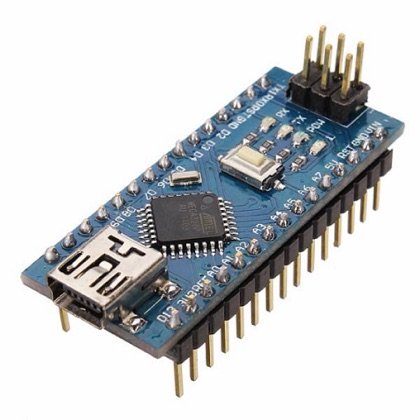 Arduino Nano
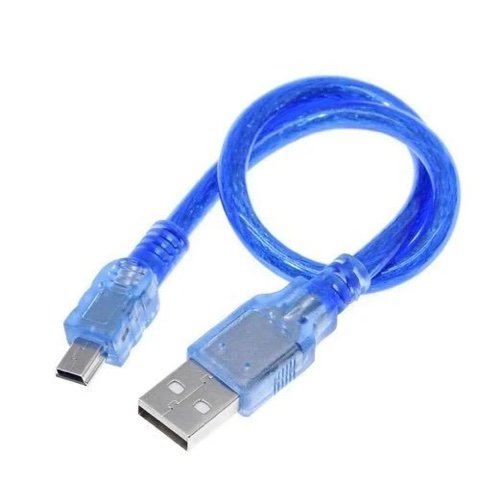 USB Cable
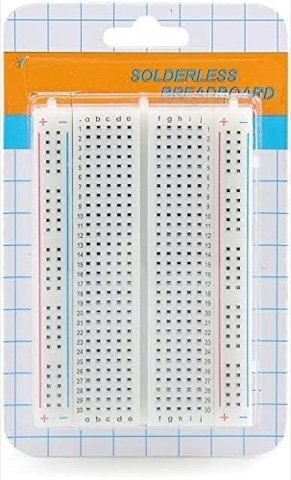 Breadboard
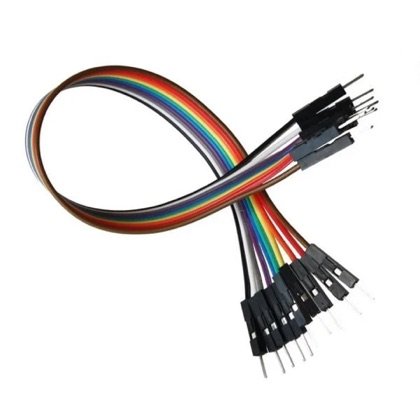 Wires
Wires🔌 Circuit diagram
Pin numbers follow the Kod2Kids books. You can use other pins, just change the same numbers in the code.
🎮 Play with this experiment⚙️ How does it work?
The computer sends a program through the USB cable and the Nano remembers it. Its pins can switch things on or off, or listen to sensors. A program is just a list of simple steps, like a recipe the board follows exactly.
🌍 Where is this used in real life?
- Washing machines, microwaves and air conditioners run on small programmed chips.
- Robots, drones and 3D printers have boards like this as their brain.
- Smart watches and fitness bands follow programs written by engineers.
💡 What could YOU invent with it?
Imagine your own helper robot: what would it do? Write three steps in plain words. These steps are the first draft of a program that could one day help someone at home.
🧪 Try this!
Look at the Nano: find the USB port, the pins and the little chip. Can you guess what each part does?
🎯 हम क्या बना रहे हैं?
हम अरुडिनो नैनो को यूएसबी केबल से कंप्यूटर में लगाकर अपने पहले निर्देश भेजते हैं। नैनो एक छोटा बोर्ड है जिसमें दिमाग़ वाली चिप है जो हमारा लिखा प्रोग्राम मानती है।
अरुडिनो नैनोयूएसबी केबलब्रेडबोर्डतार🔌 सर्किट डायग्राम
पिन नंबर Kod2Kids की किताबों के हिसाब से हैं। आप दूसरे पिन भी लगा सकते हो, बस कोड में वही नंबर बदल दो।
🎮 इस एक्सपेरिमेंट के साथ खेलो⚙️ ये कैसे काम करता है?
कंप्यूटर यूएसबी केबल से प्रोग्राम भेजता है और नैनो उसे याद रख लेता है। उसके पिन चीज़ों को चालू-बंद कर सकते हैं या सेंसर की बात सुन सकते हैं। प्रोग्राम सीधे-सादे कदमों की सूची है, किसी रेसिपी की तरह जिसे बोर्ड हूबहू मानता है।
🌍 असली ज़िंदगी में ये कहाँ काम आता है?
- वाशिंग मशीन, माइक्रोवेव और एसी छोटी प्रोग्राम वाली चिपों से चलते हैं।
- रोबोट, ड्रोन और 3D प्रिंटर में ऐसे ही बोर्ड दिमाग़ का काम करते हैं।
- स्मार्ट वॉच और फिटनेस बैंड इंजीनियरों के लिखे प्रोग्राम पर चलते हैं।
💡 इससे आप क्या नया बना सकते हो?
अपने मददगार रोबोट की कल्पना करो: वो क्या करेगा? सीधी भाषा में तीन कदम लिखो। यही कदम उस प्रोग्राम का पहला ड्राफ्ट हैं जो एक दिन घर में किसी की मदद कर सकता है।
🧪 खुद करके देखो!
नैनो को देखो: यूएसबी पोर्ट, पिन और छोटी चिप ढूँढो। अंदाज़ा लगाओ हर हिस्सा क्या करता होगा?
अरुडिनो नैनो कोडिंग और इलेक्ट्रॉनिक्स किट
Get the kit / किट खरीदें →
