
Online Robotics, Coding & AI Course for Kids: Full Curriculum
One live online course with everything in it: robotics in simulation, Scratch, PictoBlox, coding and Artificial Intelligence. 15 hours of classes every month with a mentor, for ₹3,000–₹5,000 a month.
 🤖💻🧠
One plan, everything included
15 hours of live classes every month. No admission fee, and the first demo class is free.
The exact fee for your child is confirmed after the free demo class.
🎁 Start with a free demo- 15 hours of live classes every month
- Robotics in simulation: no kit needed to start
- Scratch and PictoBlox block coding
- Coding: Python and web development
- Artificial Intelligence projects
- A project in every unit
- Certificate after every level
- Free demo class before you pay
Your child’s month at a glance
What a parent can expect in every month of the course.
Five things your child learns
One course, five areas. The mentor mixes them according to your child’s class.
Robotics in simulation
Circuits, sensors, Arduino and Raspberry Pi robots are designed, coded and tested on screen. No kit is needed to start.
Scratch
Stories, animations and games with blocks. The easiest way to learn sequences, loops, conditions and variables.
PictoBlox
Block coding with AI extensions: face detection, human pose, text to speech and machine-learning models your child trains.
Coding
Python from the first program to games with Tkinter and pygame, plus websites in HTML, CSS and JavaScript.
Artificial Intelligence
What AI is, how machines see and read, and real projects: classifiers, a chatbot and face recognition.
The curriculum, class by class
Built from the day-wise plan our mentors teach, Class 1 to Class 10.
| Class | Robotics | Coding | AI and logic |
|---|---|---|---|
| Class 1–2 | Science and maker activities, first LED circuit | First Scratch stories | Brain Gym logic exercises |
| Class 3–4 | Circuits, sensors, solar projects | Scratch and PictoBlox | Face detection, human pose |
| Class 5–6 | Arduino: lamps, alarms, door lock, radar | Scratch, PictoBlox, Python, first web page | Machine learning: Dogs vs Cats |
| Class 7–8 | Arduino in code: RFID, Bluetooth car, GSM | Python games, web apps | Pose and sign-language classifiers, computer vision |
| Class 9–10 | IoT, WiFi car, Raspberry Pi robots | Portfolio and e-commerce website, Python | AI chatbot, face recognition |
Open your child’s class to see every topic
Class 1–2Little Makers8 topics
Curiosity first: science you can touch, a first circuit and a first animation.
🔬 Maker and science activities
- Magnets: magnetic fish, attraction and repulsion
- Floating and sinking, oil and water density
- Balloon-powered car, paper bridge, foil boat challenge
- Sun and Earth model, phases of the Moon
- First LED ON–OFF circuit
- Hydraulic lift, force and motion models
🧩 Scratch
- First stories and animations, one block at a time
🧠 Brain Gym
- Memory and logic exercises in every unit
Class 3Circuit Starters16 topics
How electricity flows, first sensors and first block coding.
🤖 Robotics in simulation
- Electronics basics and the breadboard
- LED circuit with a switch: open and closed circuits
- Resistors and LED brightness
- Door alarm with a buzzer
- Battery fan with a light indicator
- Traffic light with switches
- Touch LED, IR obstacle alarm and rain alarm
- Water sensor diya and water level indicator
🧩 Scratch
- Changing Star
- Dancing Cat
- Follow-the-Mouse
🐻 PictoBlox
- Chase-the-Pointer
- Make Tobi Speak
- Bear Walking
- Translate extension
🧠 Artificial Intelligence
- Face detection with the PictoBlox AI extension
Class 4Sensor Explorers17 topics
Sensors, solar power and the idea of a robot that decides.
🤖 Robotics in simulation
- LED, resistor and switch on a breadboard
- Buzzer and LED circuit
- Motor with switch and LED indicator
- LDR sensor and automatic night lamp
- Rain-drop sensor and water sensor diya
- Solar LED, fan, street light and irrigation system
- Drones: parts, assembly and how they fly
- Robot logic: input, output and decisions
🧩 Scratch
- Touch-the-Edge
- Ask-Your-Name
- Random-Walk Art
🐻 PictoBlox
- Ask-and-Answer
- Voice Output
- Even-or-Odd
- Text to Speech
🧠 Artificial Intelligence
- Robot vs AI: what is the difference
- Face detection and human pose in PictoBlox
Class 5Arduino Beginners17 topics
The first microcontroller, and the first lines of Python.
🤖 Robotics in simulation
- Series and parallel circuits
- LED and buzzer alert circuit
- Arduino UNO and Nano: first steps
- LED blink and Arduino traffic light
- Automatic night lamp with an LDR
- Object detection alarm with an IR sensor
- Automatic fan control with a relay
- Smart angle control with a servo
- Automatic plant watering system
🧩 Scratch
- Falling Clones game
🐻 PictoBlox
- Falling Score Game
- Human Pose
- Text to Speech
💻 Coding
- Python: first programs
- Python games with Tkinter and pygame
🧠 Artificial Intelligence
- What is AI
- Eye and face detection (Haar cascade)
Class 6Smart Builders17 topics
Measuring the real world with Arduino, plus a first web page.
🤖 Robotics in simulation
- LED patterns with Arduino
- LED brightness with a potentiometer
- Water level detector
- Smart water flow monitor
- Distance measurement system
- Object detection radar
- Password door lock
- Temperature-based fan control
- Heart rate monitor
🧩 Scratch
- Flower Burst
🐻 PictoBlox
- Quiz Game
- Human Pose
💻 Coding
- Web: an About Me page in HTML, CSS and JavaScript
- Python basics
- Python games with Tkinter and pygame
🧠 Artificial Intelligence
- Machine learning in PictoBlox: Dogs vs Cats
- Introduction to AI with live demos
Class 7Code Engineers17 topics
Arduino in text code, wireless control and a first car.
🤖 Robotics in simulation
- Arduino text coding in the IDE
- LED blink, patterns and smart traffic light in code
- Distance-based alert system
- Motion detection system
- Temperature monitor with DHT11 and display
- RFID card reader
- Two-wheel car with an L293D motor driver
- Bluetooth LED and home automation
- Remote-controlled car
🧩 Scratch
- Sequence
- Reverse-a-Word
🐻 PictoBlox
- Flower Burst
💻 Coding
- Web: About Me page and a browser game
- Python basics
- Python games with Tkinter and pygame
🧠 Artificial Intelligence
- Machine learning in PictoBlox: yoga pose classifier
- Computer vision and NLP: how machines see and read
Class 8System Designers18 topics
Complete systems with displays, RFID, Bluetooth and GSM.
🤖 Robotics in simulation
- Microcontrollers, PCB and circuit design
- Multi-LED control
- Distance alert and monitoring system
- Password door lock with display
- CO gas detection alarm
- Bluetooth-controlled car
- RFID door lock with a GSM module
- Smart security camera alarm
- Weather monitoring system
- Water level monitoring system
🧩 Scratch
- Timer
- Maze Walker
🐻 PictoBlox
- Flower Burst
💻 Coding
- Web: About Me page and a To-Do app
- Python basics
- Python games with Tkinter and pygame
🧠 Artificial Intelligence
- Machine learning in PictoBlox: sign language classifier
- Computer vision and NLP
Class 9IoT Innovators16 topics
Internet of Things, cars that drive themselves and real web development.
🤖 Robotics in simulation
- Pedestrian-detection traffic light
- Human motion detection
- Fire detection alarm
- Bluetooth temperature-controlled fan
- Obstacle-avoiding car
- WiFi car
- IoT home automation
- LPG gas detection alarm
- GSM water level indicator
- Automatic attendance camera
- IoT soil moisture monitor
💻 Coding
- Web: a responsive personal portfolio
- Web: DOM, Bootstrap and API fetch
- Python in VS Code with practical sessions
🧠 Artificial Intelligence
- AI and machine learning: the foundations
- Applications of AI (five sessions)
Class 10AI Roboticists15 topics
Raspberry Pi, robots with a brain and AI you can show in a portfolio.
🤖 Robotics in simulation
- Raspberry Pi: first steps
- Smart dustbin
- Line-following robot
- Obstacle-avoiding robot with servo head and display
- Smart home control panel on Raspberry Pi
- Smart plant monitoring system
- Object detection robot on Raspberry Pi
- Fire-extinguisher robot with Arduino
💻 Coding
- Web: an e-commerce website
- Web: DOM, Bootstrap and API fetch
- Python practical sessions
🧠 Artificial Intelligence
- AI and machine learning: the foundations
- Raspberry Pi AI chatbot
- AI face-recognition attendance system
- AI facial expression detector
The mentor adjusts the pace to your child, so the order of topics can change. Students of Class 11–12 can message us for an advanced plan.
More than coding: skills for life
What parents notice after a few months.
Confidence
Every unit ends with something that works: a game, a robot, a website. Children who build things start to say “I can do this”.
Critical thinking
A circuit that does not light up or code that does not run is a puzzle. Your child learns to test, find the reason and fix it, step by step.
Public speaking
In revision and demonstration sessions your child explains the project in their own words: what it does, how it works and what they would improve.
Why parents in India choose Kod2Kids
How the online classes work.
Live mentor, not videos
Every class is live on Google Meet or Zoom. The mentor watches your child build and code, and fixes mistakes on the spot.
After-school timings
Weekday slots between 4 PM and 9 PM, plus weekend slots. The timetable is fixed with you after the demo.
A laptop is enough
Robotics is done in simulation and Scratch and PictoBlox are free tools, so there is nothing extra to buy to get started.
English and Hindi
Mentors teach in English and explain in Hindi whenever your child needs it.
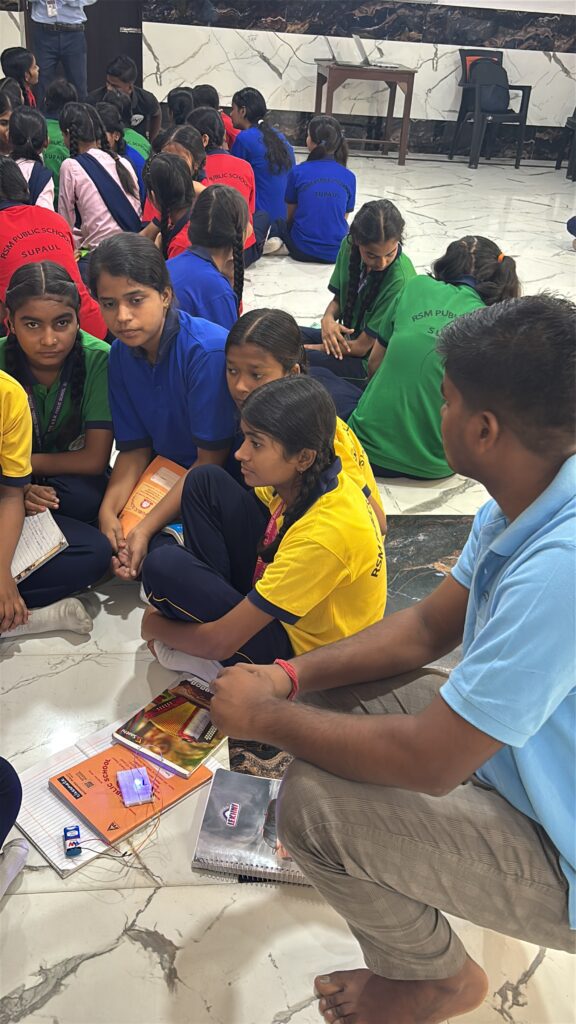
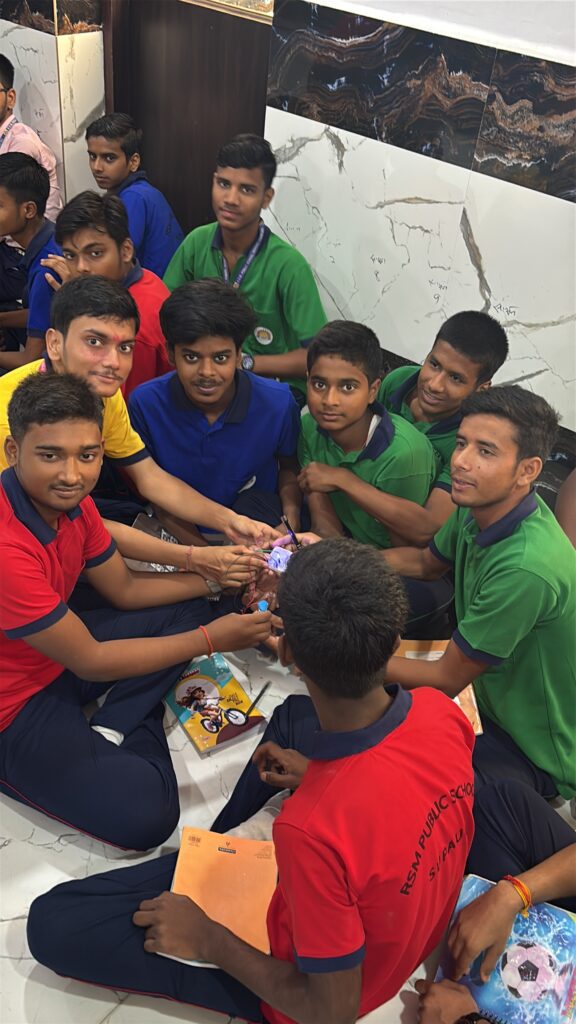
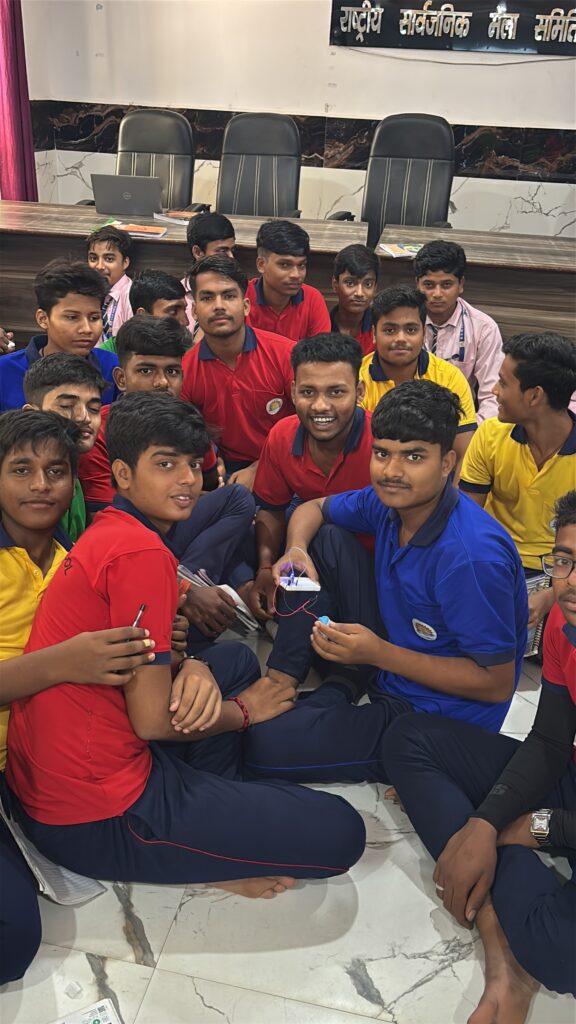
Taught in real schools
The same curriculum runs in our partner schools, aligned with NEP 2020 and CBSE/ICSE.
Progress you can see
Monthly updates, project videos on our Student Showcase and a certificate after every level.
How to start
From first message to first project.
Book a free demo
Fill the form below. Our team calls you to fix a time that suits your child.
Your child builds a project
In 45 minutes live with a mentor: a game, a circuit in simulation or a tiny AI. You watch how a class works.
Confirm fee and timetable
We confirm the exact fee (₹3,000–₹5,000 a month) and fix the weekly timetable for the 15 hours.
Learn, build, present
15 hours of live classes every month, a project in every unit and a certificate after every level.
Frequently asked questions
Short answers for parents.
What is included in the monthly fee?
15 hours of live online classes every month, covering robotics in simulation, Scratch, PictoBlox, coding (Python and web development) and Artificial Intelligence, with a project in every unit and a certificate after every level.
How much is the fee for students in India?
₹3,000 to ₹5,000 per month for 15 hours of live classes. There is no admission fee. The exact fee for your child is confirmed after the free demo class.
How are the 15 hours scheduled?
The 15 hours are spread across the month in weekly live classes. Weekday slots run between 4 PM and 9 PM and there are weekend slots too. We fix the timetable with you after the demo.
Does my child need a robotics kit?
No. In the online course, robotics projects are designed, coded and tested in a simulator, so a laptop is enough. If you would also like a physical kit, ask us on WhatsApp.
Which classes is this course for?
Class 1 to Class 10, with a separate curriculum for every class shown on this page. Students of Class 11–12 can message us for an advanced plan.
Does my child need any coding experience?
No. The mentor checks your child’s level in the free demo and starts from there.
What does my child need at home?
A laptop or desktop with a stable internet connection. Scratch and PictoBlox are free; the mentor helps you set them up in the first class.
Is the demo class really free?
Yes. Every child starts with a free 45-minute live demo. You pay only if your child loves it.
What parents say
Happy kids, proud parents.
My son enjoys the robotics classes so much! The hands-on projects are engaging, and the instructors are excellent.
The mentors are amazing, and the projects are fun. My daughter has grown so confident in coding.
The personalized classes have helped my child excel in STEM. I highly recommend Kod2Kids!
Kod2Kids has sparked my daughter's love for technology. The interactive lessons are fantastic!
My son looks forward to every class. The projects are creative, and the support is outstanding.
The safe learning environment and expert mentors make Kod2Kids a top choice for STEM education.
7000+ happy students across India and beyond. See their projects on the Student Showcase →
Your child’s first robot, game and AI start here
Book a free, live online demo class. No payment, no commitment, just 45 minutes of building with a mentor.
Book a free online demo
Fill the form and our team will contact you to fix a time. The demo is live and completely free.